DroidDeck Turns Android Phones Into a Steam Deck With SteamOS

Discover DroidDeck, a project that aims to turn Android phones into Steam Deck-like gaming devices with SteamOS, bringing a PC gaming-style experience to mobile users.

Published: October 14, 2026, 11:26 am

DroidDeck is a platform that enables your Android phone to let you experience the Steam’s Big Picture interface and on-device Windows game. But your phone should be compatible to run the app as it also offers features inspired by the Steam Deck, including desktop mode and controller support. 

So check your Android version first because DroidDeck has strict hardware requirements. And be ready to play your Steam library on your Android phone without streaming games from a PC.

DroidDeck Features: Beyond a Steam Launcher

DroidDeck is an open-source project that boots Valve’s Steam client in Big Picture mode inside an Android app. Windows games run on-device through ARM64 Proton, with the FEX translation layer handling x86 code. That means your phone’s operating system stays untouched. There’s no rooting and no OS replacement.

It’s basically SteamOS on Android without SteamOS. The look and feel is close enough to fool a muscle-memory Steam Deck owner. A tester running it on the Retroid Pocket G2 said the interface felt familiar, especially for someone used to the Steam Deck.

Underneath, though, it’s a clever compatibility stack rather than Valve’s operating system. If it were only the Big Picture on a phone, nobody would care. The extras are what make it interesting.

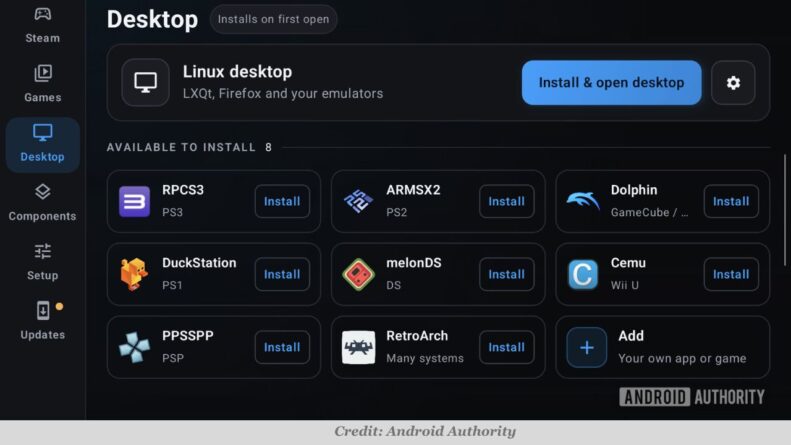
The app supports SteamOS-style features like a desktop mode, Decky plugins, and Linux apps through Flatpaks and AppImages. The Desktop tab lets you install a Linux desktop that works like Desktop Mode on a Steam Deck, and it also tries to make emulation easier by letting you install emulators that then show up in that mode.

Controls got attention too. The latest version lets a physical controller act as a Steam Deck controller, which brings the Quick Access button and gyro aiming, and the developers say Offline mode now works. If you have a dual-screen handheld, the second display can act as virtual trackpads and rear buttons, according to VideoCardz, which tested the tool. Third-party tools like Lossless Scaling reportedly work as well. 

DroidDeck Hardware Requirements To Run Smoothly

The DroidDeck own site lists Android 9.0 and up, with a Qualcomm Snapdragon Adreno 730 or newer. In practice that means a Snapdragon-powered flagship. If your phone runs a Tensor, Exynos, or MediaTek chip, I’d assume you’re out of luck, though the listing doesn’t spell those chips out. You can play, but good luck getting it to work. The app also stays pretty demanding about hardware, and its requirements are stringent at the moment.

It’s free. The listing shows a $0 price and version 0.4.0, distributed as an APK from the project’s GitHub. That puts it in sideload territory, so don’t expect a Play Store listing.

DroidDeck Hardware

Performance of DroidDeck is where I’d be careful. Running Cyberpunk 2077 at 60 FPS on a REDMAGIC 11 Pro with a Snapdragon 8 Elite Gen 5 and 16GB of RAM. That’s a $1,000-class gaming phone. A flagship chip with active cooling is the best case, not the typical one. Lighter indie titles are a safer bet on weaker hardware, and early testers say indie and demanding games actually run quite differently.

Setting Up DroidDeck on Android

Installation is simple, you grab the APK from GitHub, open the app, and head to the setup tab, which shows whether your GPU is verified and lets you install the Linux runtime before signing in to Steam. Then you tap Play Steam, and the app downloads the FEX and Proton drivers it needs. Expect a few minutes of waiting, then your library.

Only install from the official GitHub repository. A sideloaded gaming APK is exactly the kind of thing copycat sites will repackage.

DroidDeck vs The Real Steam Deck

Gamers can skip ponying up almost $800 for a new Steam Deck. That’s fair if you already own a Snapdragon flagship or an Android handheld like the Retroid Pocket G2. It’s not fair if you’d have to buy hardware to run it. A real Steam Deck gives you Valve’s own OS, a controller built into the device, and Valve’s compatibility testing. DroidDeck gives you a free experiment on a device you already carry.

DroidDeck vs The Real Steam Deck

This is the most interesting thing to happen to Android gaming in a while, and it works best as a bonus, not a replacement. If you’ve got the right chip, install it this weekend and see what your library does. If you’re shopping for a handheld specifically to play Steam games, buy the Deck and treat DroidDeck as a fun side project, at least until 0.4.0 matures.

👉  New Xbox Games This Week: Planet Zoo 2, Valor Mortis, Boltgun 2 and Castlevania Return

Conclusion 

Android users who already own a powerful Snapdragon processor can download the DroidDeck APK from the official GitHub repo. After setting it up, the steam library will allow you to play the games you want without a PC. The hardware requirement is strict for the software to run smoothly and effortlessly. 

It is free and features have not been compromised, so it’s a big deal for the gamers who love to play Steam games. It boots Valve’s Arm-native Steam client directly on your Android phone so you don’t have to re-purchase a game again.

Alpana

Articles Published : 167

Alpana is Fandomfans Senior Editor across all genres of entertainment. She evolved in the media industry since a very long time, she manages the content strategy and editing of all the blogs. Her focus on story development, review analysis, and research is well-equipped that ensures every article meets the standards of accuracy and depth.

Leave a Comment

Your email address will not be published.

All LinkedIn Games Answers For Today (25 September 2026)

Find all LinkedIn Games answers for today, 25 September 2026, including Pinpoint, Crossclimb, Queens, Tango, and more. Get today’s answers and solve them quickly.

Written by: Alpana
Published: September 25, 2026, 12:48 pm
LinkedIn Games Answers

The LinkedIn Games Answers lineup — Queens, Zip, Tango, Pinpoint, Crossclimb, Mini Sudoku, Patches and Wend. These games quietly become one of the most-searched things on the app every morning. If today’s LinkedIn Games grid has you stuck somewhere between “almost got it” and “just show me the answer,” you’re in the right place. 

Here’s where things stand for Friday, September 25, 2026.

LinkedIn Pinpoint Answer

Today’s mystery category is “Words that come after ‘mixed’!” Words that come after “mixed” — think signals, drinks, nuts, and the like. Classic Pinpoint move: the earlier clues will feel scattered on purpose, so don’t lock in a guess until at least the third hint if you want to protect your streak.

The five clues walk you there one at a time:

Media → mixed media

Bag → mixed bag

Blessing → mixed blessing

Metaphor → mixed metaphor

A fifth clue rounds out the set, but by the time “metaphor” shows up, the pattern is usually obvious enough to lock in the category without needing it.

The trick with Pinpoint isn’t vocabulary — it’s resisting the urge to guess early. “Media” alone could point in a dozen directions. It’s only once “bag” and “blessing” show up that the “mixed ___” pattern clicks.

LinkedIn Tango Answer 

Today’s Tango board is a 6×6 grid that opens with just four given cells, so there’s a bit more legwork than usual before the pattern clicks. The puzzle fills the board with 18 suns and 18 moons, and the top row reads moon, sun, moon, moon, sun, sun. 

LinkedIn Tango

Here’s the complete grid, row by row:

  • Row 1: Moon, Sun, Moon, Moon, Sun, Sun
  • Row 2: Sun, Moon, Moon, Sun, Moon, Sun
  • Row 3: Moon, Sun, Sun, Moon, Sun, Moon
  • Row 4: Moon, Sun, Sun, Moon, Moon, Sun
  • Row 5: Sun, Moon, Moon, Sun, Sun, Moon
  • Row 6: Sun, Moon, Sun, Sun, Moon, Moon

LinkedIn Crossclimb Answer

Today’s ladder runs from SOFA to BEDS, a two-word phrase for pieces of furniture that fold out for sleeping. As always, remember the trick with this one — the first word in the ladder might actually sit at the bottom of the stack rather than the top, so don’t assume you’ve locked in your starting rung until the middle block checks out.

Working backward from the clues and the start/end words, the ladder solves out as:

SOFA → SODA → CODA → CODE → BODE → BODS → BEDS

Carbonated water → SODA

Element at the end of a song → CODA

Do a programmer’s job → CODE

Be an omen → BODE

Physiques, colloquially → BODS

Each word differs from its neighbor by exactly one letter, which is the whole mechanic of Crossclimb — solve the five clues, then rearrange them into a chain where SOFA and BEDS cap the top and bottom. Worth double-checking against your own board before you submit, since the official reveal for #878 was gated behind a click when we checked, and this is the sequence that fits both the clues and the SOFA/BEDS bookends.

LinkedIn Zip Answer 

LinkedIn Zip

This one’s a genuine workout in a LinkedIn Games Answers. Zip #557 plays out on a 7×7 board with 10 numbered nodes and 12 wall segments, and it scores 38 out of 100 on the difficulty index — harder than roughly three-quarters of every Zip puzzle LinkedIn has published. 

From 1: Down ×2 → Right ×2 → 2

Right → 3

Down → Left to the edge → Up to the top

Right ×3 → Down → 4

Left ×2 → Down → 5

Right → Down ×2 → 6

Right → Up ×2 → Right → 7

Down ×2 → Right → Down → 8

Left → Down → Right ×2 → Up to the top

Left ×2 → Down → 9

Right → Down ×2 → 10

Every cell must be filled with nodes, not leaving behind any empty cell. you can draw the straight line but still have to fill every block of the grid.

Read More 👉 Pierce Brosnan Teaming Up With His Son in an Art Exhibition at Art Basel

LinkedIn Mini Sudoku Answer 

Unlike a standard 9×9 Sudoku board, the LinkedIn Mini Sudoku uses a 6×6 grid divided into six smaller 2×3 rectangular boxes. Don’t look for an empty cell and try to guess what fits, pick a number (3) and check where it fits naturally. 

Finding the missing 1 or 2 digits is usually straightforward and unlocks momentum for the rest of the board. Pay close attention to how intersecting numbers lock down choices. Fill every empty cell on the board using the digits 1 through 6. 

3 5 4 1 6 2
6 1 2 3 4 5
4 2 6 5 1 3
5 3 1 6 2 4
1 4 3 2 5 6
2 6 5 4 3 1

LinkedIn Queens Answer

LinkedIn Queens Answer

The grid must only contain one queen in an entire row and column, but make sure that the colour only holds one queen — not two queens at the same colour patch. Today’s LinkedIn Queens solution is:

First Queen – R1C8

Second Queen — R2C6

Third Queen — R3C1

Fourth Queen — R4C5

Fifth Queen — R5C3

Sixth Queen — R6C7

Seventh Queen — R7C2

Eight Queen — R8C4

Where R is row and C is known as column.

LinkedIn Patches Answer

Patches are the easiest in all LinkedIn Games Answers. You are given a grid that you must completely partition into rectangular or square sections called “patches”. Every single cell on the board must be covered by a patch, with no overlaps and no empty gaps. 

Red (14): Vertical rectangle covering Columns 1–2

Green (6): 2×3 rectangle in Columns 3–4

Yellow (9): 3×3 square in the top-right

Teal Blue (6): 2×3 rectangle in Columns 3–4

Orange (9): 3×3 square in Columns 5–7

Sky Blue (5): Horizontal strip of 5 cells in Row 7

Certain cells contain clues consisting of a number (the exact cell count the patch must contain) and/or a shape constraint (whether the resulting patch must be a Square, a Wide rectangle, or a Tall rectangle). 

Read More 👉  The Untold Story Behind Pierce Brosnan’s $500,000 Painting “Earplugs”

LinkedIn Wend Answer 

Isolating and locking down the shortest words first can clear out awkward corners or edges, making the longer paths much easier to trace. Keep an eye on the designated length slots for the remaining words to figure out what kind of letter combinations you should be looking for. 

4 letters: GAIN

5 letters: WEAVE

7 letters: COSTUME

8 letters: DIVIDEND

9 letters: INVENTORY

You can draw or drag paths through letters that touch vertically, horizontally. Every open letter tile on the board must be used exactly once across all the hidden words. Word trails cannot cross over each other or reuse a tile that has already been assigned to a completed word. This is the most easy puzzle in all LinkedIn Games Answers of today.


Alpana

Articles Published : 167

Alpana is Fandomfans Senior Editor across all genres of entertainment. She evolved in the media industry since a very long time, she manages the content strategy and editing of all the blogs. Her focus on story development, review analysis, and research is well-equipped that ensures every article meets the standards of accuracy and depth.

Leave a Comment

Your email address will not be published.

Five PS5 Games Playable on PC with KytyPS5: What to Know

PS5 Games may be playable on PC with KytyPS5. Learn how the emulator works, game compatibility, performance, and what PC users should know.

Written by: Alpana
Published: September 28, 2026, 11:43 am
PS5

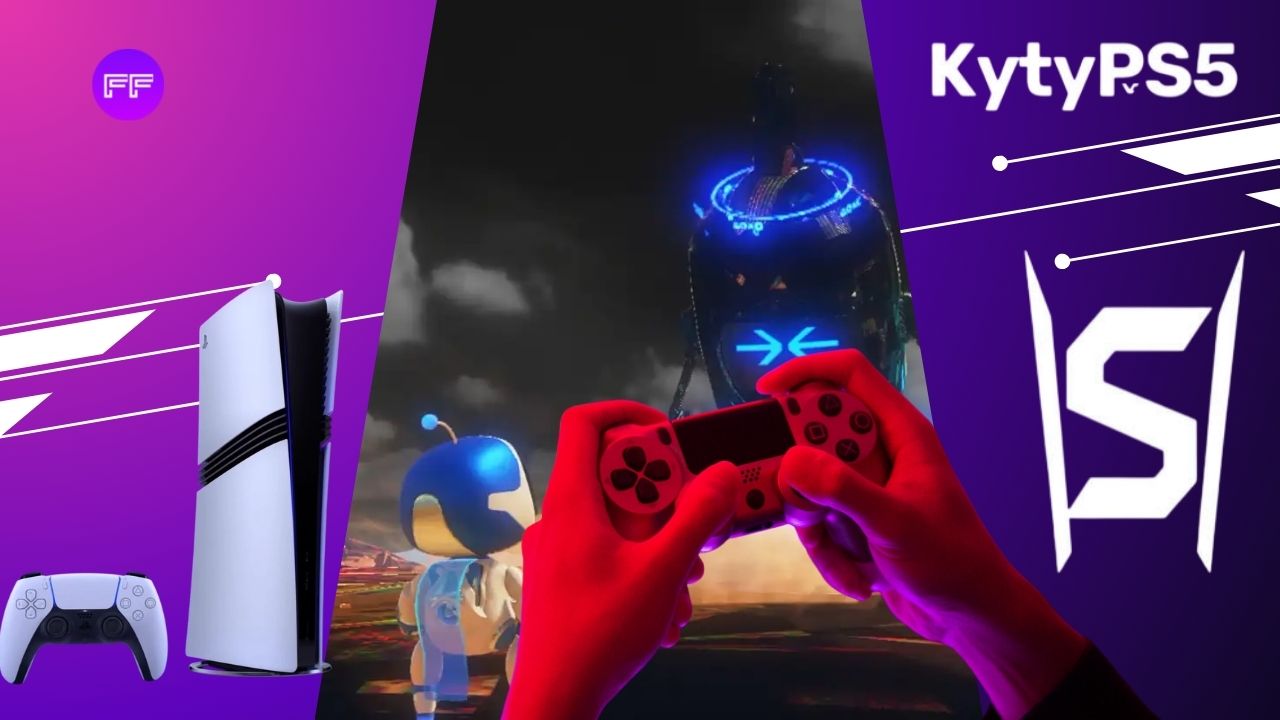
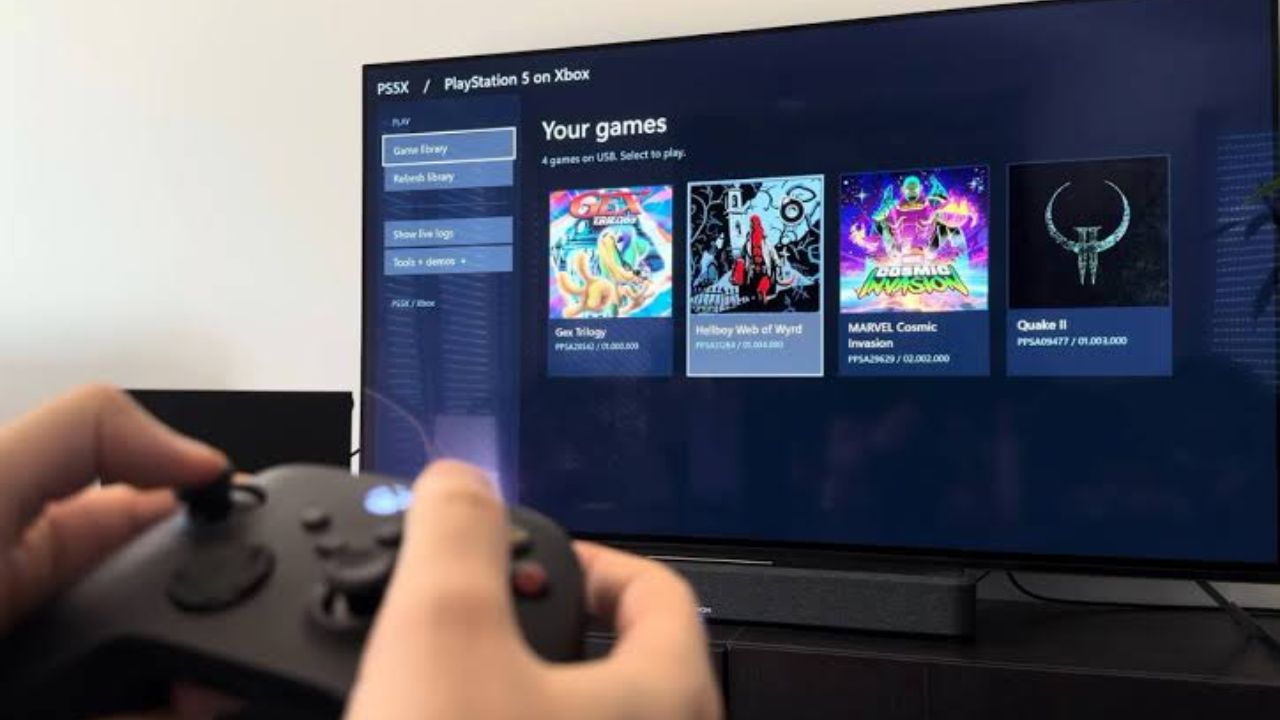
The PS5 launched nearly six years ago, and for most of that time, running its games on a PC felt like a fantasy. Thanks to KytyPS5, an experimental emulator that supported many games to make this possible at 40-60 FPS. Five PS5 Games reported as fully playable with minor or no issue and a growing list of others that reach gameplay. Lighter games hold around 60 FPS, while heavy titles like GTA V and Demon’s Souls still struggle. 

The results are promising, but not every game is in good shape. Here’s where each game stands. 

PS5 Games Shown Running On KytyPS5

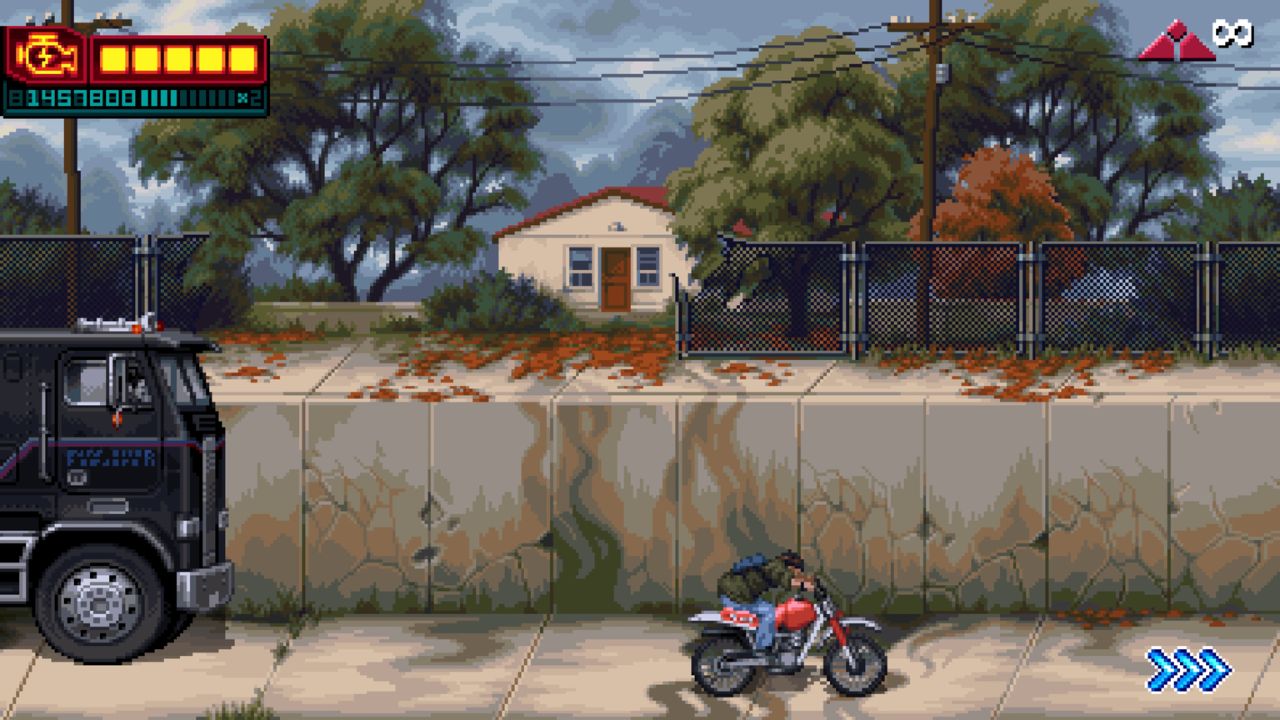
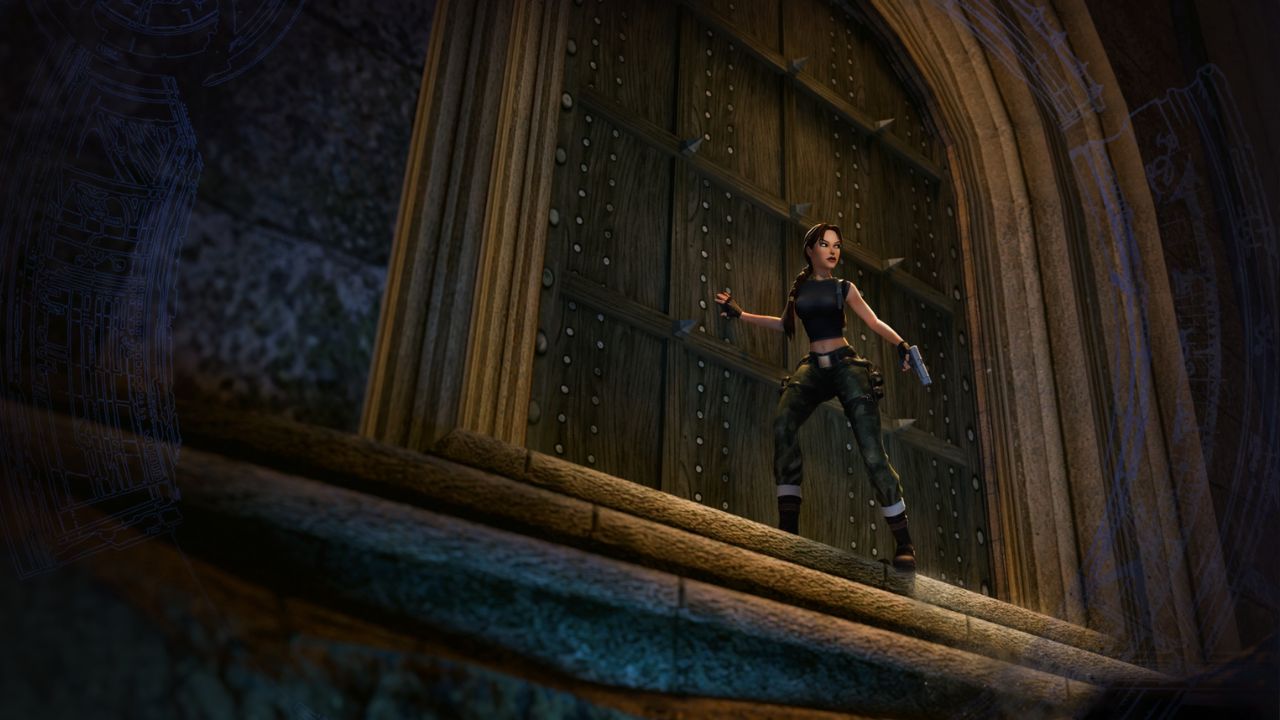
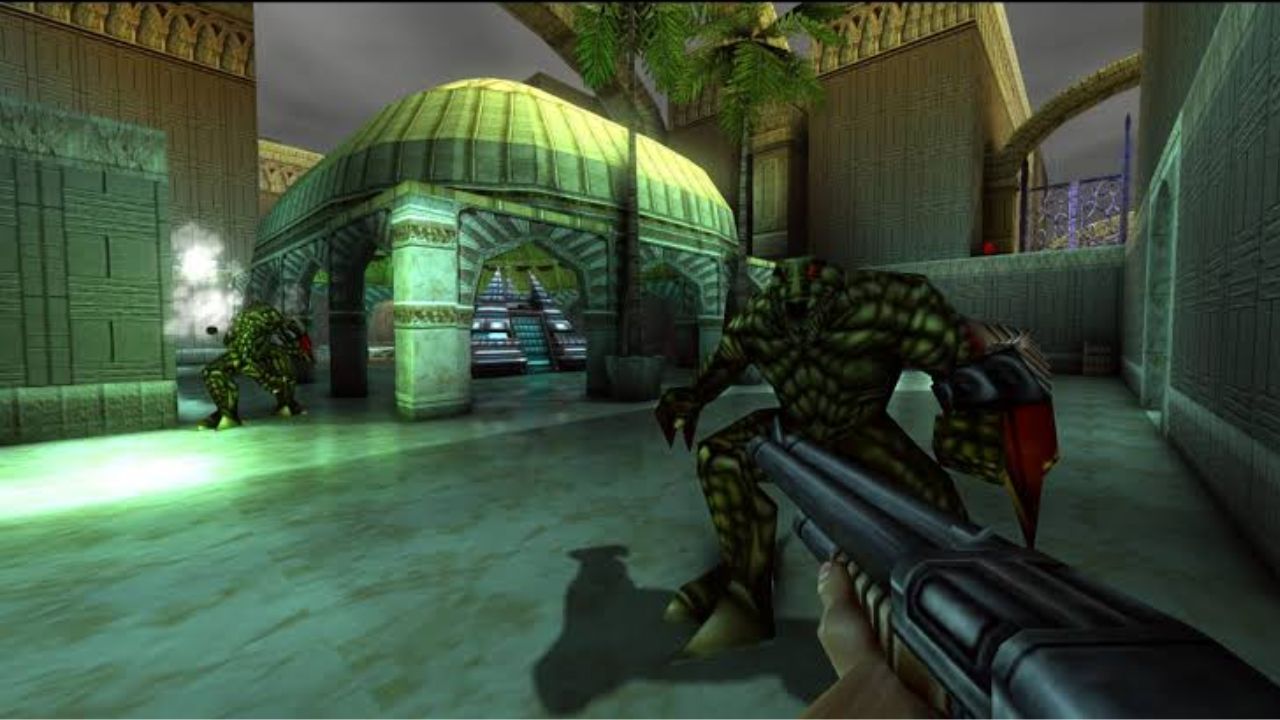
KytyPS5 Games compatibility can be completed end‑to‑end with only minor glitches; no major crashes blocking progress. These are the only titles repeatedly described in sources as fully playable or “almost flawlessly” on KytyPS5: 

  • Turok 2: Seeds of Evil 
  • Terminator 2D: No Fate 
  • GEX Trilogy  
  • Tomb Raider IV–VI Remastered 
  • Double Dragon Gaiden: Rise of the Dragons 

KytyPS5

The first-two games get into actual gameplay and hold around 60 FPS. But the rest of them show the emulator’s limits. These games run, but with low frame rates, bugs, or crashes:

  • Story of Seasons: A Wonderful Life 
  • Pac-Man World Re-Pac 
  • Demon’s Souls Remake
  • Astro Bot
  • Astro’s Playroom
  • XIII (2020)
  • TMNT: Wrath of the Mutants
  • Quake II Remastered (PS5)
  • Grand Theft Auto V 
  • Stray (PS5)
  • Silent Hill: The Short Message
  • Disgaea 6

The 60 FPS figure is an estimate based on how light the games are, not a confirmed benchmark. These games list is small, but for an emulator this young, any fully playable PS5 title is a real milestone. 

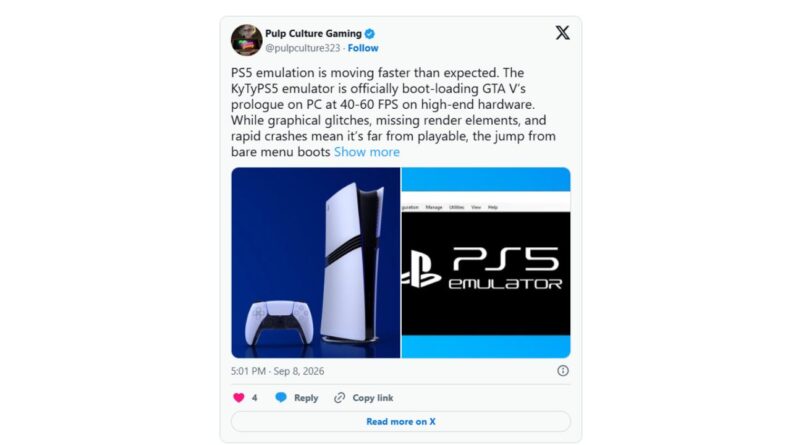
KytyPS5 can boot the PS5 build of Grand Theft Auto V and reach the in-game menus, and in later tests it rendered part of the North Yankton prologue with working audio, HUD, and direct control. Frame rates in those clips have been reported around 40–60 FPS on very high-end hardware, but with visual instability (flickering assets/lighting) and crashes after a few minutes or before the first major set-piece. 

PS5 Emulator Compatibility Reportedly Reached 60 FPS 

KytyPS5 is one part of a wider PS5 emulation push. SharpEmu is another open-source project with its own growing compatibility list. SharpEmu reportedly ran 12 of 55 tested games, with six reaching a playable 60 FPS in the project’s testing with minor flaws or no flaw:

  • Dreaming Sarah
  • New Joe & Mac: Caveman Ninja
  • Disgaea 6 Complete
  • Hogwarts Legacy
  • Marvel’s Spider‑Man: Miles Morales 
  • Demon’s Souls

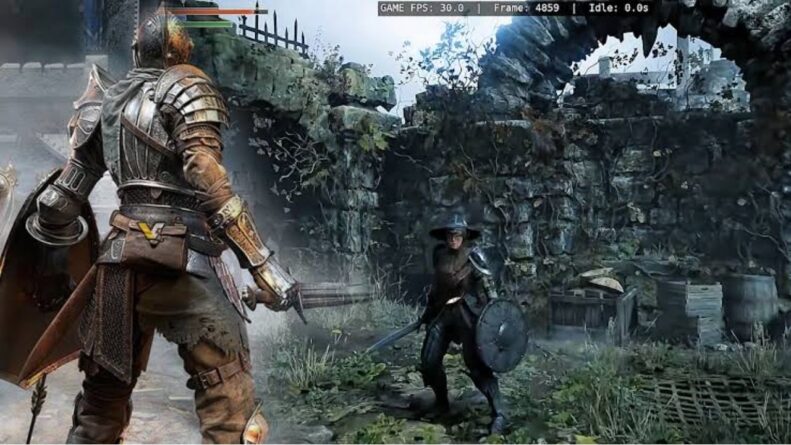
Demon’s Souls can now reach gameplay, but the compatibility report notes major graphical problems and heavy performance issues, so it’s nowhere near smooth yet.

Demon's Souls

KytyPS5 and SharpEmu are experimental, open-source PS5 emulators, and both do best with lighter games, but they’re progressing differently. SharpEmu currently has the more organized track record. Its official list has seven games that can be completed with minor or no issues.

KytyPS5 has fewer fully playable titles but it seems to be pushing harder into demanding 3D games. It has demonstrated gameplay for GTA V, Astro Bot, and Demon’s Souls, although performance remains inconsistent, with crashes, bugs, and frame rates frequently dropping below 60 FPS.  

Some games appear on both lists, such as Tomb Raider IV-VI, Pac-Man World Re-Pac, Disgaea 6, and Demon’s Souls, and Demon’s Souls struggles on both. So if you want games you can finish today, SharpEmu looks like the safer pick, while KytyPS5 is the one to watch for bigger blockbusters. 

AnyPS5 is taking a completely different route. Instead of using a conventional emulator, it converts console executables to run natively on Windows and Linux. Reportedly, there’s no emulator running underneath the game at all, which could avoid some of the overhead of traditional emulation. It’s still very early in development, though.

Conclusion 

PS5 Games can be playable with the KytyPS5 emulator and lightweight games, especially 2D titles and remasters, run best, while demanding 3D games like GTA V and Demon’s Souls still struggle with performance and stability. That’s normal for an emulator at this stage. A gaming PC can’t replace a real PS5 yet, but the direction is encouraging.

If you want to try KytyPS5, start with the lighter titles. SharpEmu has also tested 55 games recently in which few are playable and many still fail to boot. If you’re waiting for the big blockbusters, be patient, because these numbers will likely improve as development continues. 

Alpana

Articles Published : 167

Alpana is Fandomfans Senior Editor across all genres of entertainment. She evolved in the media industry since a very long time, she manages the content strategy and editing of all the blogs. Her focus on story development, review analysis, and research is well-equipped that ensures every article meets the standards of accuracy and depth.

Leave a Comment

Your email address will not be published.